
Azahar Emulator
Azahar Emulator DevelopersArcade
3.6407.00 Reviews
- Version
- 2126.0-googleplay
- Installs
- 1.00M
- Age Rating
- Everyone
Screenshots
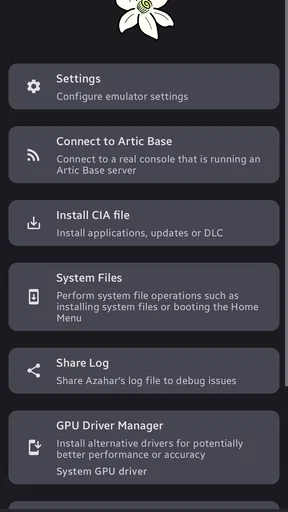
Our Review of Azahar Emulator
 Analysis by Appyee
Azahar Emulator is an unusual entry in the arcade side of mobile gaming because it is not a game with its own levels, characters, or unlock tree. It is an open-source 3DS emulator based on Citra, developed by Azahar Emulator Developers, and its real purpose is to let you run compatible Nintendo 3DS software on an Android device. I approached it less like a normal pick-up-and-play release and more like a tool for building a personal handheld setup. That distinction matters: the satisfaction comes from configuring a library, getting a title running smoothly, and returning to games you already own, rather than from earning rewards inside Azahar itself.
The app is free, carries an Everyone age rating, and has passed the one-million-install mark. Its average sits at 3.6 from roughly five thousand ratings, with several hundred written reviews, which gives a useful picture of the experience: plenty of people find value in it, but the results are not equally smooth on every phone. The current version is 2126.0-googleplay, and it requires Android 10 or newer. Those details make it accessible to many recent devices, although the operating-system requirement is only the starting point. Emulation depends heavily on the phone’s processor, graphics hardware, cooling, drivers, and the individual game.
What the first session is really trying to achieve
I use the first session to answer a practical question: can I make one game comfortable enough to play, rather than merely get it to open? In a shared household, that means choosing a title and screen layout that suit the person holding the phone, then keeping the test small enough to troubleshoot. That setup naturally leads to the next question: once it works, does the game’s own rhythm make me want to return?
The early goal is a working game, not an in-app tutorial
When I first use an emulator, my immediate goal is simple: reach a playable screen without spending the whole evening troubleshooting. Azahar’s early challenge is therefore practical. You need legally obtained game files, a compatible Android phone, enough storage, and sensible expectations about performance. The app itself does not replace the original games, and it is not a storefront for downloading them. That makes the first few minutes very different from launching a conventional arcade title.
For someone who already has a 3DS collection and understands how to manage personal backups, that setup can feel rewarding. I can organize a small selection, point the emulator toward the right folder, and test one title at a time. For a newcomer expecting an instant catalogue, the experience is less welcoming. The initial objective is not presented as a series of bright milestones; it is the quieter task of making the software, device, and game agree with one another.
My advice is to begin with one game rather than importing an entire library. This makes it much easier to identify whether a problem comes from the title, the phone, the file, or a setting. It also prevents the common mistake of judging the emulator after a messy first scan filled with duplicate or poorly organized files. A clean folder structure and a short test session are more useful than changing every option at once.
Why the setup itself can become a meaningful first milestone
Azahar has no conventional opening sequence that teaches its progression because it is a platform for running games, not a single campaign. The first meaningful milestone is seeing a title boot and discovering whether its controls, display, audio, and speed are acceptable on your device. That may sound modest, but it is exactly where the app’s appeal begins. Once the technical barrier is crossed, the emulator becomes almost invisible and the original game takes over.
I found that this creates two different kinds of users. The first is comfortable treating the app as a hobby project, adjusting settings and testing results. The second wants a console-like experience with no preparation. Azahar fits the first group much better. If you enjoy understanding why a game behaves differently in portrait and landscape, or why one title needs more care than another, the setup process can feel like part of the hobby. If you simply want to tap an icon and play immediately, a native Android arcade game is a better match.
Progress signals come from the games you choose
Because Azahar does not supply its own campaign, progress signals come from the 3DS software running through it. A completed stage, a new area, a saved file, or a difficult boss defeated belongs to that game rather than to the emulator. This separation is important when deciding whether the app will keep you interested. Azahar can make an old handheld library more convenient, but it cannot create a progression system for a title that does not already have one.
That also means the quality of your chosen library matters more than the emulator’s store category. The arcade label describes how the app is classified, but the actual rhythm may range from quick score-based sessions to long adventure games, depending on what you run. I would not install it expecting a single consistent pace. I would install it because I want access to a particular kind of handheld experience and I am willing to manage the technical layer underneath.
A useful workflow is to keep separate folders for games you are actively playing and games you are only testing. That small distinction makes the library easier to navigate and gives your current goals more visibility. It also reduces the temptation to jump between too many titles before you know which ones perform well. In an emulator, a tidy collection is not just cosmetic; it directly affects how quickly you get from opening the app to making a decision about what to play.
Save management changes how progress feels
One of the strongest practical reasons to use an emulator is flexibility around continuing a session. I still prefer using the game’s own save system whenever possible, because it preserves the intended rhythm and avoids confusion between different save states. However, an emulator environment can make short mobile sessions more realistic: I can stop during a busy day and return later without treating the phone like a dedicated console.
That convenience comes with a trade-off. A save-state habit can weaken the tension that makes some handheld games satisfying. If I save before every risky action, the challenge becomes less meaningful and the pacing can flatten. My approach is to use ordinary in-game saves for the main journey and reserve emulator-assisted shortcuts for testing, awkward interruptions, or situations where I genuinely need to pause quickly. This keeps progress convenient without turning every obstacle into a disposable attempt.
There is another practical consideration: never treat a single convenient save as your only copy of progress. I would keep the game’s normal save data organized and avoid making broad changes to folders while a title is running. The emulator may be the tool that launches the game, but the consequences of careless file management are felt inside the game’s progression. A little discipline here prevents a technical experiment from becoming a lost evening.
Challenge, pacing, and whether it keeps me coming back
Because Azahar runs different 3DS games rather than supplying one of its own, I judge its staying power through the software I choose and how reliably it fits into everyday breaks. A useful household routine is to agree on which game is active and avoid changing files or settings while someone else is using that setup. The balance between convenience and care becomes clearest when I consider what makes a session satisfying—and when another way to play is a better fit.
The difficulty curve belongs to each 3DS game
Azahar cannot give the whole experience one difficulty curve because it hosts many different games. Some may be immediately comfortable, while others expose hardware or control limitations before the game itself becomes challenging. I separate those two problems carefully. A hard level is part of the software I chose; stuttering audio, awkward touch placement, or unreliable input is an emulator problem. Treating both as the same thing leads to unfair conclusions.
On a capable phone, the best sessions are the ones where I stop thinking about the emulator. The game’s own challenge then has room to work: early objectives introduce its rules, later sections ask for better timing or planning, and the player’s improvement becomes the main source of momentum. On a weaker or poorly matched device, technical interruptions can distort that curve. A section that should feel tense may instead feel frustrating because the controls or frame delivery are inconsistent.
This is why I recommend testing a representative scene rather than judging a title from its opening menu. Early areas can be deceptively light, while busier sections may place a greater load on the phone. I would play long enough to encounter ordinary movement, menus, sound, and a more demanding moment before deciding whether the combination is reliable. That approach gives a much clearer answer than assuming that a successful boot means perfect performance.
Screen layout is part of the challenge
3DS software was designed around two screens, and a phone does not naturally reproduce that arrangement. Azahar can make the experience practical, but the best layout depends on the game and the display. A larger screen may make dual-screen play more comfortable, while a smaller phone can force compromises between readable information and usable controls. I often prefer a layout that keeps the important screen prominent and leaves the secondary view visible without shrinking everything too far.
Landscape orientation usually feels more natural for games that demand physical buttons, but it is not automatically ideal. Some titles rely heavily on touch interaction or frequent attention to both screens, and a cramped arrangement can make those actions less pleasant. This is one of the app’s less obvious trade-offs: sharper graphics or a larger image do not necessarily improve play if the interface becomes harder to reach.
External controls can help people who already own a compatible gamepad, especially for action-heavy titles. They do not solve every issue, though. Touchscreen interactions, dual-screen visibility, and game-specific input still matter. I would choose the control method based on the software rather than assuming that a controller turns every 3DS game into a perfect console experience.
Retention comes from unfinished personal goals
Azahar’s retention pressure is indirect. It does not need daily rewards, energy timers, or a built-in streak to bring me back. The pull comes from a game I have not finished, a save file I want to revisit, or a title from my collection that deserves another chance. That can be healthier than systems designed to keep me checking in, but it also means the app has little to offer if I do not already have a clear game in mind.
I especially like it for short, purposeful sessions. A commute, a waiting room, or a quiet break becomes a chance to continue one campaign instead of starting a disposable mobile game. The key is keeping the active list small. If I load too many choices, the emulator turns into a library-management task and the motivation to play drops. Two or three current games create a better sense of direction than a crowded catalogue.
The app is also useful for people who want to preserve a familiar handheld routine after moving away from dedicated hardware. That does not mean every title will feel identical on a phone. Battery use, heat, touch controls, and the shape of the screen all influence the experience. Still, when the device handles the game well, the convenience of carrying one phone can make returning to a long-running save much easier.
Where the usual alternatives make more sense
Compared with native Android arcade games, Azahar asks for more preparation and gives less immediate feedback. A native title is usually built around the phone’s screen, controls, and performance profile, so it is the better choice when I want a quick session with minimal setup. It may also offer a more consistent interface and simpler support expectations.
Compared with playing on original 3DS hardware, Azahar offers portability through a device I already carry and can make an existing digital routine more convenient. Original hardware, however, preserves the intended two-screen shape, physical controls, and system behavior. If authenticity and dependable compatibility matter more than convenience, dedicated hardware remains the stronger option.
Compared with another emulator, the meaningful comparison is not just a feature checklist. I would look at how comfortable the interface feels on my phone, whether my chosen games behave properly, how much configuration I am willing to do, and whether the project’s open-source nature matters to me. Azahar is a particularly sensible choice for someone who values an open-source 3DS-focused project and wants to experiment responsibly with personal game backups. It is less suitable for someone searching for a polished, fully automatic console replacement.
Who should install it, and who should skip it
I would recommend Azahar to a 3DS owner with an Android phone running Android 10 or newer, a legally managed game collection, and patience for title-by-title testing. It is also a good fit for technically curious players who enjoy refining a setup until the controls and screen arrangement feel right. The free price lowers the barrier to trying it, although the real investment is time rather than money.
I would skip it if I expect a built-in collection, a unified achievement path, or a game designed specifically for this app. I would also look elsewhere if my phone is older, tends to heat quickly, or struggles with demanding 3D software. The one-million-plus install figure shows that the app has reached a broad audience, but popularity should not be mistaken for a guarantee that every device will deliver the same result.
The Everyone rating makes the app approachable from an age-classification standpoint, yet the practical audience is defined more by technical comfort and game ownership than by age. Parents or casual players may find the emulator itself straightforward once configured, but the games being run through it can have very different controls, themes, and difficulty. I would judge the complete setup, not only the emulator’s label.
My verdict on progression and staying power
The progression is borrowed from your library, not generated by the emulator. That is the central truth of Azahar. Its early goal is getting a compatible game running, its progress signals come from that game’s saves and milestones, and its difficulty curve changes with every title you choose. The app succeeds when it removes enough friction for those original experiences to remain enjoyable on a modern phone.
In my experience, the best reason to keep Azahar installed is not endless novelty. It is the ability to maintain a focused, personal rotation of 3DS games and continue them in small pieces of free time. The weakest part is the uncertainty before that routine becomes comfortable: setup, file organization, screen layout, controller choices, and device performance all require attention. Once those decisions are settled, the emulator can fade into the background, which is exactly what I want from this kind of tool.
Version 2126.0-googleplay gives current Android users a clear starting point, but I would still approach installation as a compatibility experiment rather than a promise of universal performance. Try one legally obtained game, configure the controls before judging the challenge, and give the phone time to show how it handles a demanding section. If that process sounds worthwhile, Azahar is a convincing free way to revisit 3DS software. If it sounds like unnecessary work, a native arcade game or original handheld will probably deliver a happier first session.
Overall, I see Azahar Emulator as a capable bridge between a 3DS collection and an Android phone, with its strongest appeal reserved for players who value flexibility and are willing to take responsibility for the setup. It does not manufacture goals or rewards, but it can make the goals already present in your games easier to pursue. For me, that is enough to recommend it—carefully, realistically, and with the understanding that the quality of the final experience depends on the game and device working together.
Verdict
Strengths of Azahar Emulator
- Runs many Nintendo 3DS games with smooth performance on capable devices.
- Supports save states, controller mapping, and customizable touch controls.
- Offers graphical enhancements such as higher resolutions and texture filtering.
- Open-source project with ongoing community development and improvements.
- Works offline once games and required files are set up.
Limitations of Azahar Emulator
- Performance varies widely depending on the phone, game, and graphics settings.
- Requires legally dumped game files; it does not provide games for download.
- Initial setup can be confusing for users unfamiliar with emulator file management.
- Higher-resolution graphics can cause overheating and faster battery drain.
- Some games may have glitches, missing features, or compatibility problems.
Similar Picks in This Category
View All
Subway Surfers
SYBO Games4.6

Stickman Party 234 MiniGames
PlayMax Game Studio4.6

Subway Princess Runner
Ivy4.4

Temple Run
Imangi Studios4.2

Zombie Tsunami
Mobigame SAS4.6

Stack Ball - Crash Platforms
CASUAL AZUR GAMES4.5
Frequently Asked Questions
What is Azahar Emulator, and what can it run?
Azahar Emulator is an open-source Nintendo 3DS emulator designed for Android and other supported platforms. It allows users to play compatible 3DS game files on a modern device by recreating much of the original console’s hardware and software environment. Compatibility and performance vary considerably depending on the game, device chipset, graphics drivers, and emulator settings, so not every title will run perfectly.
Is Azahar Emulator legal and safe to use?
The emulator itself is generally legal software because it does not include Nintendo games or copyrighted game files. However, downloading commercial games, system files, or keys from unauthorized websites may violate copyright law. For safety and legality, users should obtain any required files from hardware and games they own, download Azahar only from a trusted official or reputable source, and avoid modified APKs that may contain malware.
What phone or tablet specifications are recommended for Azahar Emulator?
Azahar Emulator can run on some Android devices, but demanding 3D games usually require a relatively modern 64-bit processor, strong GPU performance, sufficient RAM, and updated graphics drivers. High-end Snapdragon devices commonly provide better results, while older or entry-level phones may experience slowdowns, graphical glitches, overheating, or crashes. Actual performance depends on the specific game and selected resolution or enhancement settings.
Does Azahar Emulator support saved games, controllers, and multiplayer?
The emulator generally supports save states and normal in-game save data, allowing users to continue progress in different ways, although save-state compatibility can change between versions. External Bluetooth, USB, or compatible game controllers may improve comfort and control. Multiplayer features can depend on the emulator version, game, network configuration, and platform support, so users should not assume that every local or online 3DS multiplayer mode will work reliably.
How do I improve performance and fix graphics problems in Azahar Emulator?
Start by using the latest stable version, updating your device’s operating system and graphics drivers, and closing other demanding applications. Lowering internal resolution, disabling enhancements, changing the graphics backend, and enabling suitable speed or shader options can help. Some games require individual settings, and occasional stuttering or visual errors may remain because emulation is still demanding and compatibility differs from one title to another.
Play our best games!


